
If you want to offer freelance services through the Pakistan Software Export Board (PSEB), this guide shows you exactly how to register, secure a PSEB certificate, and turn registration into a real business advantage.
Freelancing in Pakistan, especially in IT and digital services, is booming. Yet many freelancers still operate informally, missing out on official recognition, reduced taxes, smoother banking, government programs, and higher client trust. PSEB registration is the bridge between freelancing as gig work and freelancing as a recognized export business.
In this expert guide, you’ll learn:
- How to register as a freelancer with PSEB (step by step)
- Eligibility criteria and required documentation
- How to obtain your official PSEB certificate
- The concrete benefits of PSEB registration
- Common challenges, and how to resolve them
- Why PSEB registration is worth your time as a serious freelancer
Understanding PSEB and the Freelancer Registration Process
What Is PSEB?
The Pakistan Software Export Board (PSEB) is a government body responsible for promoting Pakistan’s IT and IT-enabled services (ITeS) exports. It acts as a facilitator between freelancers, companies, tax authorities, banks, and international markets.
As a freelancer, you interact with PSEB when you:
- Export software or digital services to foreign clients
- Need official certification for tax, banking, or credibility
- Want access to training, export facilitation, or government programs
Key facts about PSEB:
- Mandate: Promote IT/ITeS exports and global market access
- Recognition: Issues official freelancer/exporter certificates
- Services: Online registration, certification, training, facilitation
Overview of PSEB Freelancer Registration
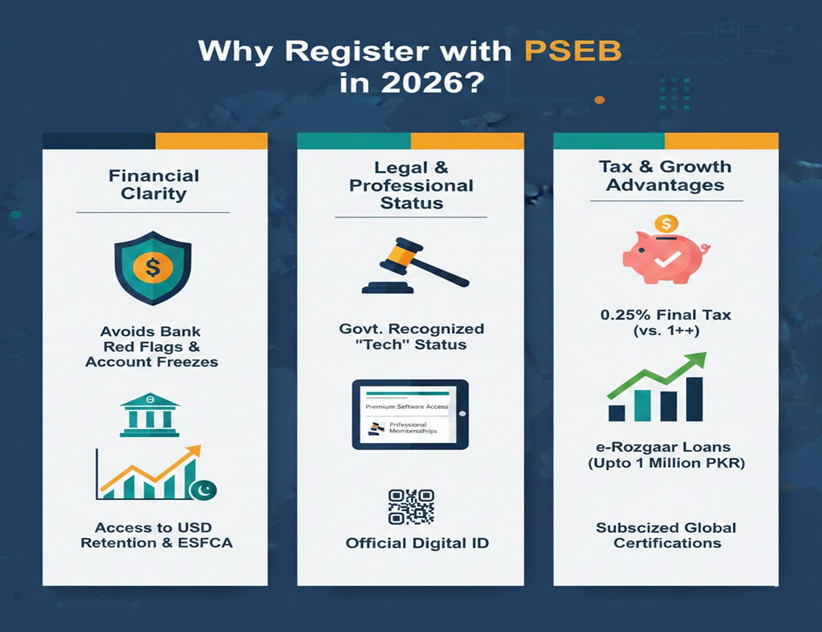
Freelancer registration with PSEB is completed through an online portal. Once approved, you receive an official PSEB freelancer certificate, which:
- Records you as an IT exporter
- Helps reduce withholding tax on export income
- Strengthens credibility with banks and clients
High-level process:
- Create an account on the PSEB portal
- Complete the freelancer application form
- Upload identity, banking, and income proof
- Submit application for verification
- Receive your digital PSEB certificate
During review, PSEB may request clarifications. Once approved, your certificate becomes a business asset, not just a formality.
Eligibility Criteria for Registering as a PSEB Freelancer
Required Qualifications & Documentation
To register successfully, you must show that:
- You are a Pakistani citizen (CNIC/NICOP/Passport)
- You have an active bank account in your own name
- You are providing IT or IT-enabled services to foreign clients
Commonly required documents:
- CNIC (front & back)
- Proof of address (utility bill or tenancy agreement)
- Bank account proof (void cheque or bank letter)
- Evidence of freelance income (invoices, platform statements)
- Portfolio links (GitHub, website, Behance, etc.)
- NTN/FBR registration or tax declaration (if applicable)
Educational degrees are not always mandatory, but relevant diplomas or certifications strengthen your case, especially for specialized services.
Eligible Professions and Services
PSEB focuses on export-oriented digital and IT services, including:
- Software & web development
- Mobile app development
- UI/UX design
- QA & automation testing
- Cloud, DevOps, and cybersecurity
- Data analytics and AI services
- Technical writing for software
- Digital marketing for software products
Services outside the digital/IT scope usually do not qualify. Always match your declared service category with your portfolio and income proof.
Step-by-Step Guide: How to Register as a Freelancer in PSEB
Step 1: Access the Registration Portal
- Visit the official PSEB/Tech Destination portal
- Use a desktop browser for best performance
- Create an account using a valid email and phone number
- Verify your email before proceeding
Prepare in advance:
- CNIC/NICOP
- Passport-size photo
- Bank account proof
- Freelance platform profiles
Step 2: Complete the Application Form
- Select “Apply as Freelancer”
- Enter personal details exactly as on CNIC and tax records
- Clearly describe your services (avoid vague terms)
- Add freelance platform links or client references
- Enter export income estimates (if applicable)
Use “Save Draft” if you need time; rushed submissions cause delays.
Step 3: Upload Required Documents
Upload clear, properly named files:
- CNIC (PDF/JPG)
- Proof of address
- Bank account certificate (in your own name)
- Invoices, contracts, or platform earnings screenshots
Common mistake: Using a family member’s bank account; this is a frequent reason for rejection.
Step 4: Submit and Track Review
- Submit the application and save your reference number
- PSEB acknowledges receipt within 48–72 hours
- Review time typically ranges from 1 to 4 weeks
If clarification is requested, respond promptly via the portal.
Step 5: Pay Registration Fee & Download Certificate
- Upon preliminary approval, pay the registration fee (usually around PKR 1,000 for freelancers)
- After final verification, download your digital PSEB certificate
Keep multiple copies; this certificate is used for tax filings, banks, and client verification.
How to Obtain and Use Your PSEB Certificate
Your PSEB certificate includes:
- Registration number
- Validity period
- Approved service categories
Use it to:
- Claim reduced withholding tax
- Provide proof of exporter status to banks
- Strengthen proposals and client onboarding
- Apply for government programs or visas
Benefits of Registering as a PSEB Freelancer
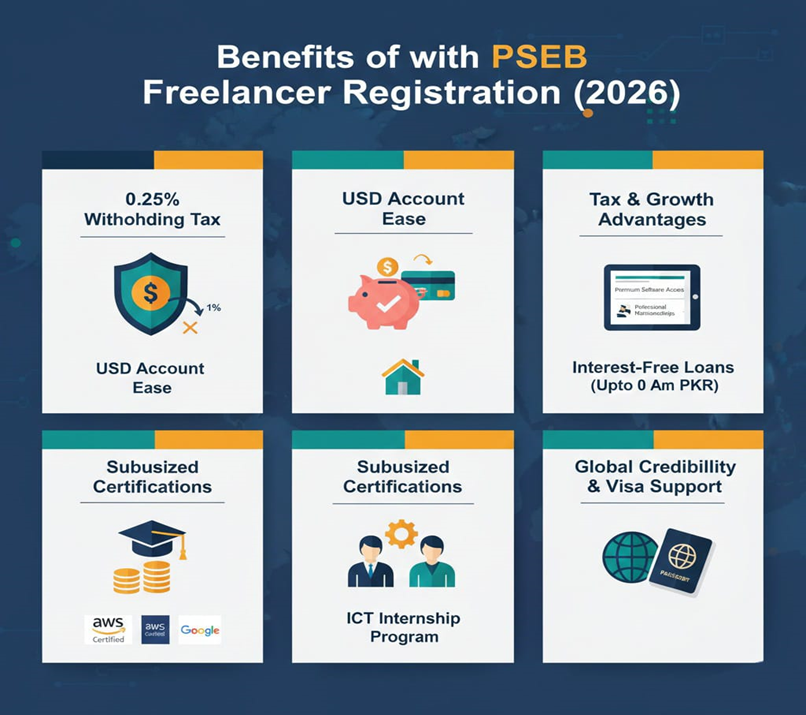
1. Reduced Tax on Export Earnings
PSEB-registered freelancers benefit from lower withholding tax on foreign income, meaning more legal take-home earnings.
2. Increased Credibility and Trust
Clients; especially international ones, value official recognition. A PSEB certificate reduces due-diligence friction and improves conversion rates on proposals.
3. Access to Government Projects & Programs
Many public sector IT projects and tenders require PSEB-listed providers, opening doors to long-term, stable contracts.
4. Banking & Remittance Facilitation
Banks recognize PSEB status, making it easier to:
- Receive international payments
- Justify foreign remittances
- Resolve compliance queries
5. Training, Networking & Market Access
Registered freelancers gain access to:
- Skill development programs
- Export promotion events
- Trade delegations and expos
- Mentorship and consortium opportunities
Common Challenges and How to Overcome Them
Documentation Issues
- Scan documents clearly
- Match names across CNIC, bank, and tax records
- Keep files within size limits
- Use Chrome/Firefox for uploads
Portal & Policy Updates
- Follow PSEB announcements
- Track application status regularly
- Respond quickly to queries
Preparation and responsiveness eliminate most delays.
Why You Should Register with PSEB?
PSEB registration:
- Formalizes your freelance business
- Improves pricing power and client trust
- Reduces tax friction
- Aligns you with Pakistan’s IT export ecosystem
It’s not just compliance, it’s strategic positioning.
Conclusion
You now have a clear, end-to-end roadmap to:
- Register as a PSEB freelancer
- Secure your PSEB certificate
- Unlock tax, credibility, and growth benefits
Treat PSEB registration as an investment, not paperwork. It strengthens your professional standing, simplifies operations, and helps you compete confidently in global markets.
FAQs Commonly Asked (With Answers)
Q1. Is PSEB registration mandatory for freelancers?
No — you can freelancing without PSEB, but you won’t get export recognition or reduced tax advantages.
Q2. How long does PSEB registration take?
Typically 2–5 weeks if documents are complete and accurate. (My Blog)
Q3. Can I register without a company?
Yes — individual freelancers can register with personal NTN and bank account.
Q4. Do I need to renew registration?
Yes — renewal is usually annual to maintain tax benefits and certificate validity.
Q5. What tax rate applies once registered?
Generally 0.25% withholding tax on export receipts, a big saving compared to the 1% applied to unregistered income.
Q6. What if my application is rejected?
Review your documentation carefully. Cases have occurred where incorrect category selection was the issue.
Sources:
